Pixel & Oak POS docs
Take orders and payments
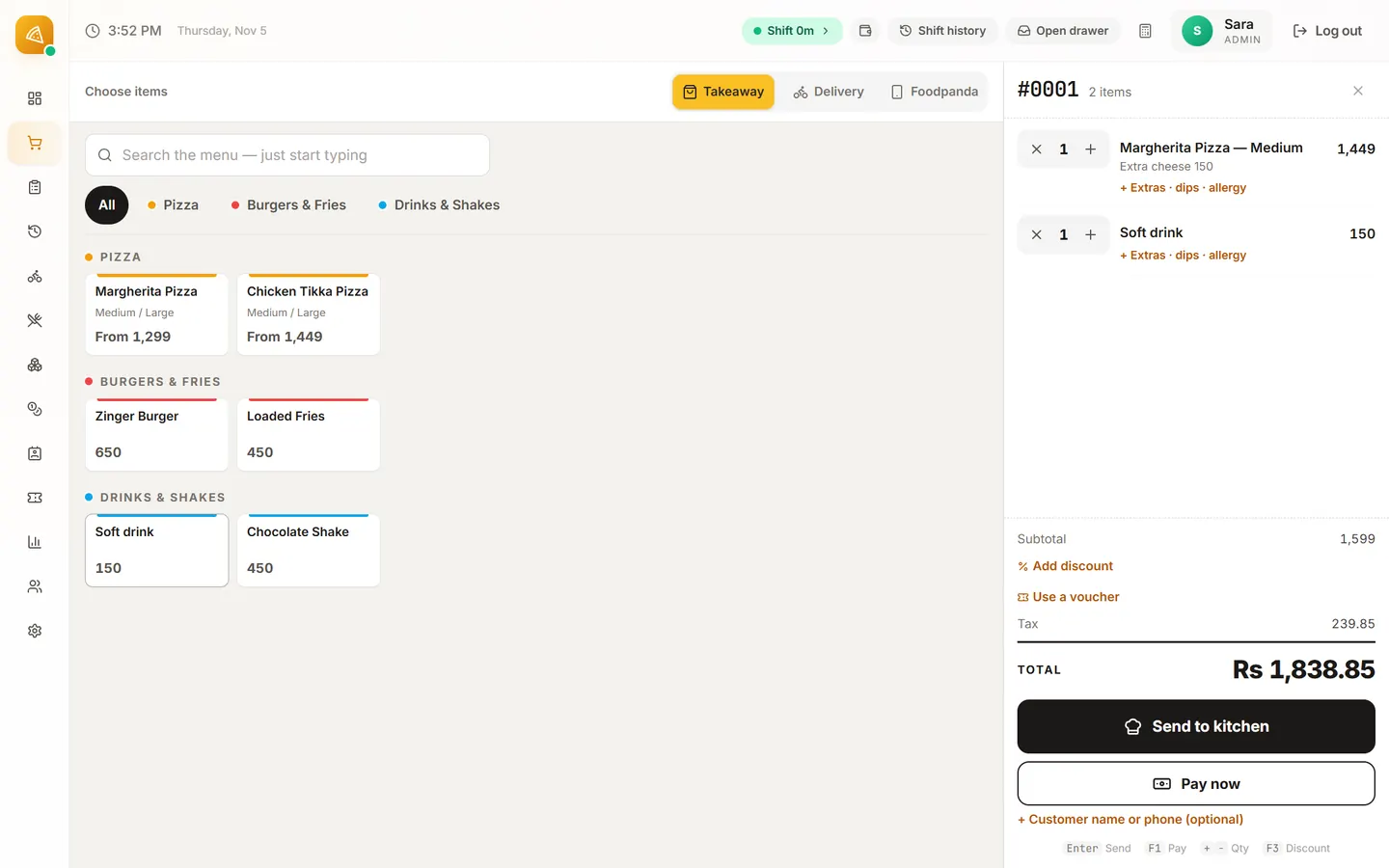
Open the shift first, then open Checkout: pick Takeaway or Delivery, tap the dishes, and press Pay. Phone and WhatsApp orders are Delivery or Takeaway orders like any other.
Take an order
- Pick the order type: Takeaway or Delivery (and Foodpanda in Pakistan).
- Tap a dish. If it has sizes or choices, the till asks for them before it goes in the order.
- Check the order on the right. Notes for the kitchen go in Order notes.
- Press Pay.
Delivery and phone orders
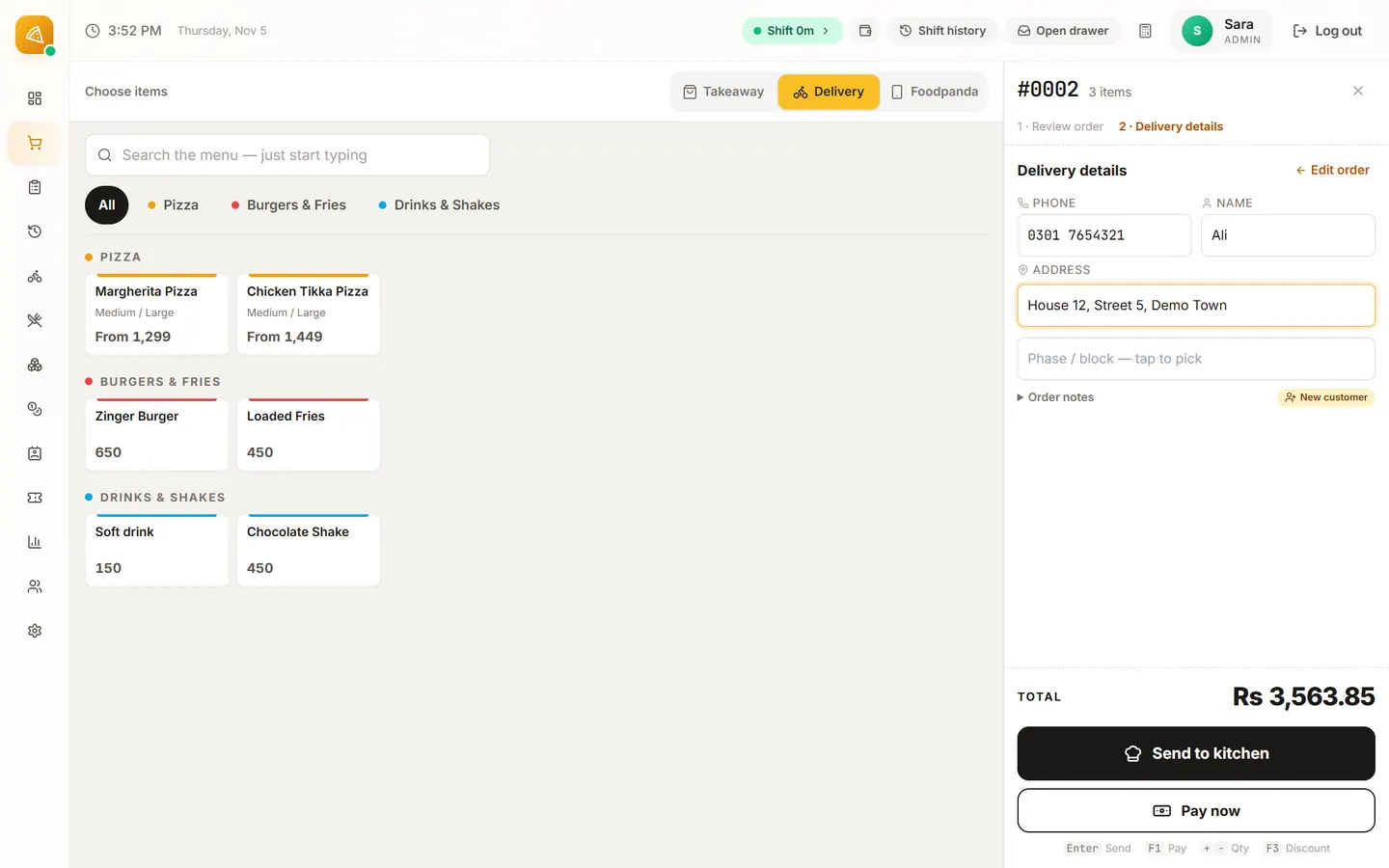
For Delivery, type the customer's phone first: a regular's name and address come back by themselves. Otherwise fill in the name, house and street and the area, and the area's delivery charge is added.
Managers and Admins also get suggestions as they type, and can search by house number. Cashiers find a customer by the full phone number.
Take the payment
| Country | Methods |
|---|---|
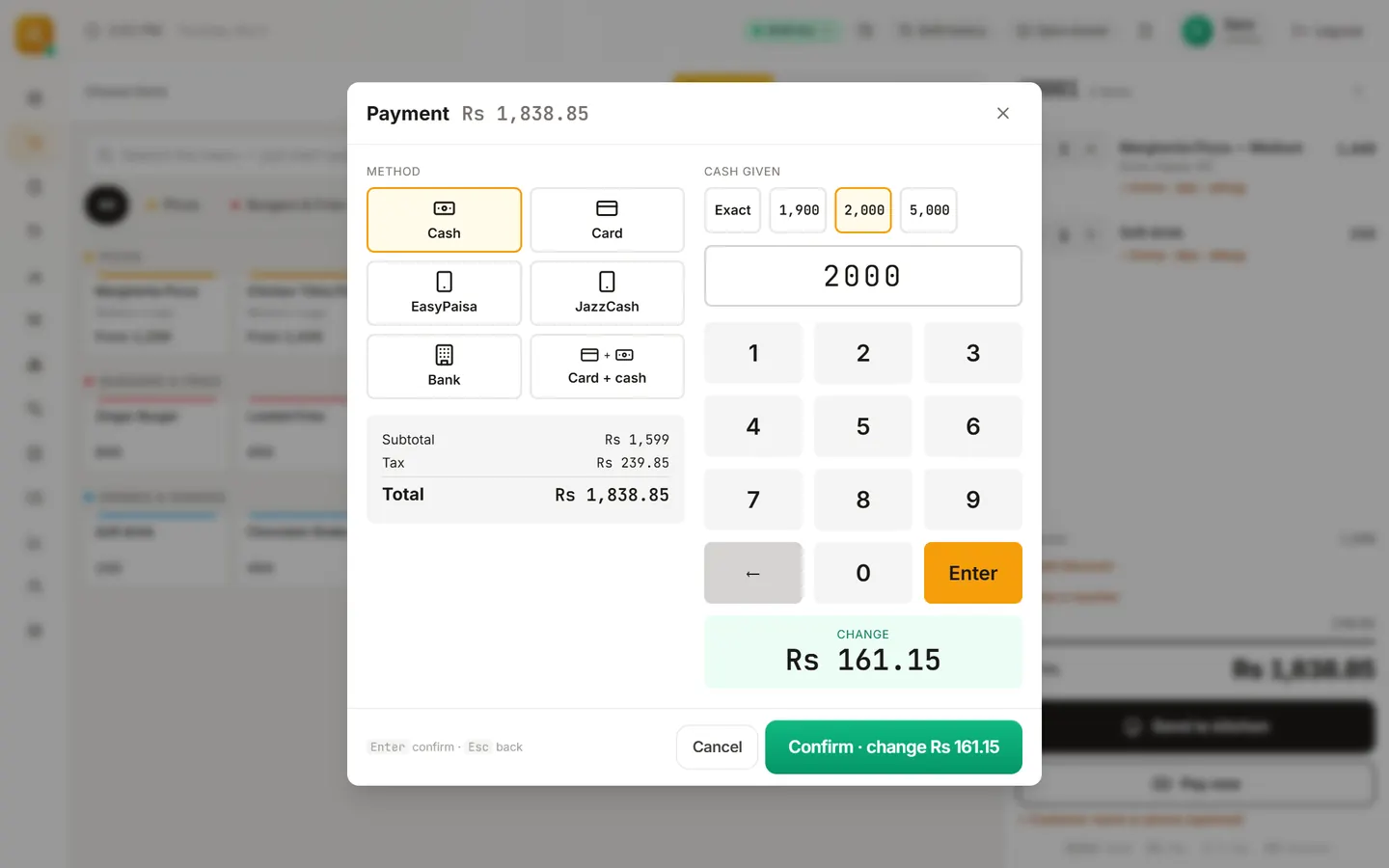
| Pakistan | Cash, Card, EasyPaisa, JazzCash and Bank. Split: Card + cash. |
| United States | Cash and Card. Split: Card + cash. |
Pick the method, type the cash handed over to see the change, and press Confirm payment. With a printer connected, the receipt prints and the drawer opens.
Discounts
Press the discount button on the order: Percent off (10, 20, 25, 50 or 100%) or Amount off, with a reason. Discounts above 10%, or above Rs 500 in Pakistan ($5 in the US), need a manager's PIN.
Refunds and cancels
Open the order and choose Refund…: All of it or Part of it, how the money goes back, and the reason, approved with a manager's PIN or password. An order that should never have happened is cancelled with Cancel order….
Stuck on a step?
Message us on WhatsApp with a photo of the screen. We can also join a video call and fix it with you.