Pixel & Oak POS docs
Reports and exports
Open Reports (Admin only). Pick the period, from Today to Pick dates, and a tab: Overview, When, Menu, Channels & delivery, Food cost & stock, Team & leakage or Profit.
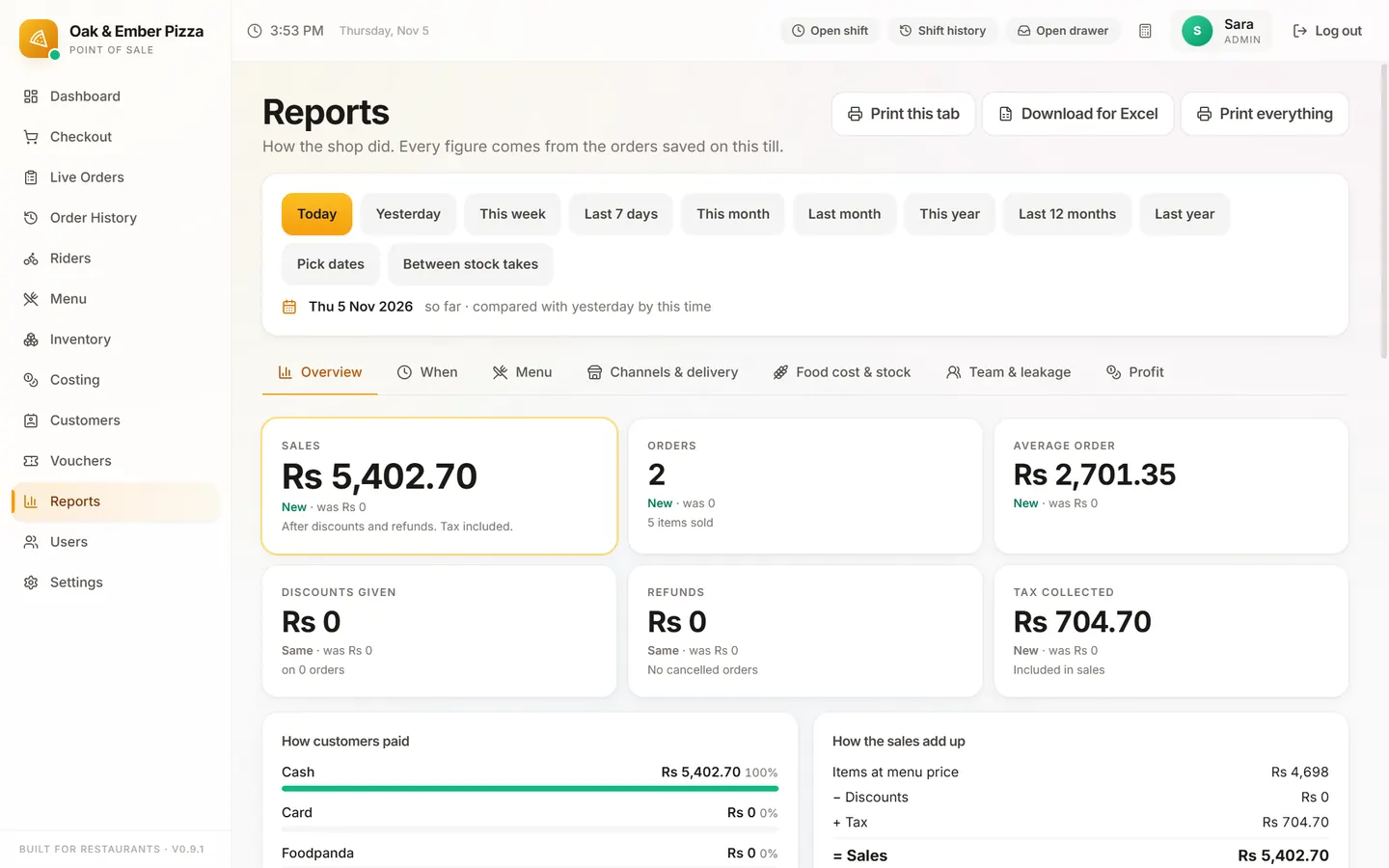
What each tab answers
| Tab | Answers |
|---|---|
| Overview | How much you sold, how many orders, the average bill, tax and payment methods. |
| When | Your busy days and hours. |
| Menu | What sells and what doesn't. |
| Channels & delivery | Takeaway vs delivery, how orders came in, delivery areas and riders. |
| Food cost & stock | What your dishes cost to make, and stock used between stock takes. |
| Team & leakage | Discounts, refunds and cancels, by member of staff. |
| Profit | What is left after food cost. |
Print or export
Print this tab prints it. Download for Excel saves the tab as a CSV file that opens in Excel or Google Sheets. Print everything prints every tab.
The customer list is saved from Customers → Save list as file (Admin only).
Stuck on a step?
Message us on WhatsApp with a photo of the screen. We can also join a video call and fix it with you.