Pixel & Oak POS docs
Trial and licence
Every till runs free for 30 days from its first start. To keep it, send us the Device ID from Settings → About, and we send a licence key for your plan.
The trial
- Every feature works for 30 days. A reminder shows from 7 days left.
- When the trial ends, sales stop: new orders, payments and website orders are refused. Reports, backups and Settings stay open, so nothing is lost.
Enter a licence key
- Open Settings → About. The Licence card shows the trial days left and the Device ID. Press Copy.
- Send the Device ID to us on WhatsApp with the plan you want.
- Type the key we send you (it starts with COC1) into Enter a licence key and press Activate.
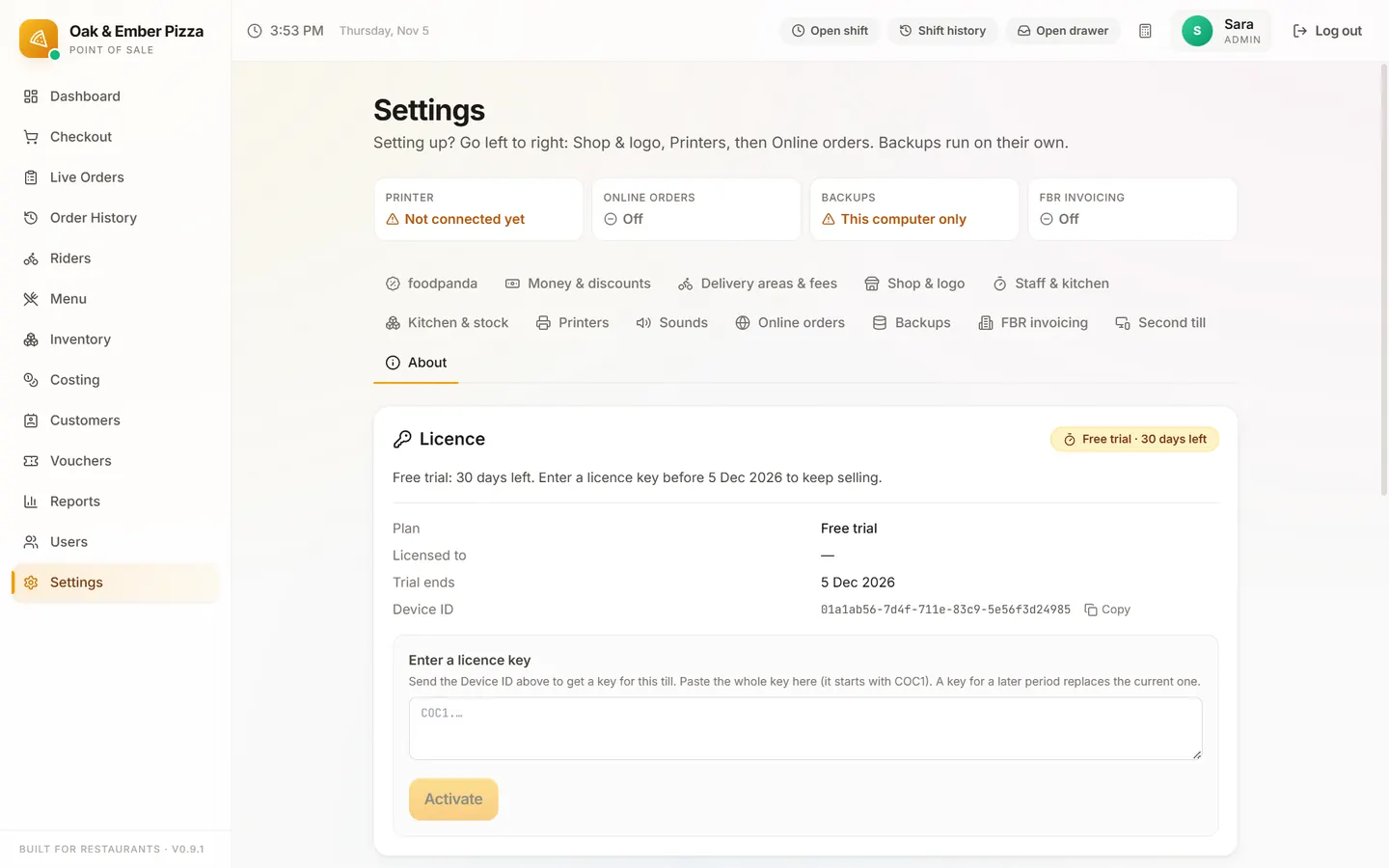
The key is checked on the till itself, so it works offline. It belongs to that PC: a new PC needs a new key.
What it costs
| Where | Starter / Pro / Business | One-time setup |
|---|---|---|
| Pakistan | Rs 2,499 / Rs 4,999 / Rs 9,999 a month | Rs 14,999 |
| Elsewhere | $25 / $45 / $199 a month | $49 / $99 / $199, waived on yearly plans |
The setup is paid after the 30-day trial, only if you keep the POS. Stop during the trial and you pay nothing; once paid, the setup is not refundable. Paying yearly is 10 months for 12. All plans and what they include.
Stuck on a step?
Message us on WhatsApp with a photo of the screen. We can also join a video call and fix it with you.