Download Pixel & Oak POS for Windows
Install the till on the Windows PC at your counter in about five minutes, set up your restaurant on its first screen and take orders the same day. Every till starts with a 30-day free trial. It runs in Pakistan (rupees) and the United States (dollars).
- Windows 10 and 11
- About 115 MB
- 30-day free trial
- Works offline
Prefer email? [email protected] · we reply within 24 hours.
Windows 10 or 11 (64-bit) · about 115 MB · always the newest version · the file is called PixelAndOak-POS-Setup.exe
Install it in four steps
The full walkthrough, with every screen, is in Install on Windows.
Download
Click Download for Windows. If your browser says the file isn't commonly downloaded, choose Keep.
Open it
Windows may show a blue box, Windows protected your PC. Click More info, then Run anyway, then Install.
Set up your restaurant
Pick your country, then add your shop's name, phone, address and tax, and choose your Admin PIN. It takes about two minutes.
Take your first order
Open the shift, tap the dishes and take the payment. A receipt printer is optional: sales work without one.
What you need
-
A Windows PC
Windows 10 or 11, 64-bit, with a screen of at least 1024 × 700: a desktop, a laptop or an all-in-one touch POS terminal.
-
A receipt printer (optional)
A 58 mm or 80 mm thermal printer over USB, Wi-Fi or LAN. Add a second one for the kitchen if you like. See printers and cash drawer.
-
A cash drawer (optional)
One that plugs into the printer's drawer port. The till opens it on every sale or on cash sales only.
-
Internet (optional)
Only to download it, and for website orders, online backups and updates. Billing, printing and the shift close work offline.
After you install
30 days to try everything
Every feature is on during the trial. A reminder shows from 7 days left.
Your data stays on your PC
Orders and customers live in a database on the till, with a backup every day and a copy you can save to a USB stick.
Updates install themselves
The till downloads new versions by itself and installs them when you restart it.
Keep it with a licence key
Send us the Device ID from Settings → About and we send a key. How the licence works.
Watch the demo
The real till, start to finish: setting up a restaurant, adding a dish, a counter order paid in cash, a delivery order with its rider, and closing the shift.
What the video shows
- 0:00The problem: orders on paper and bills added up by hand.
- 0:11First-time setup: the country (Pakistan or the United States), the shop's name, phone and address, the website details, tax and the Admin PIN.
- 0:37Signing in with a PIN.
- 0:42Adding a dish with its price and an Extra cheese choice.
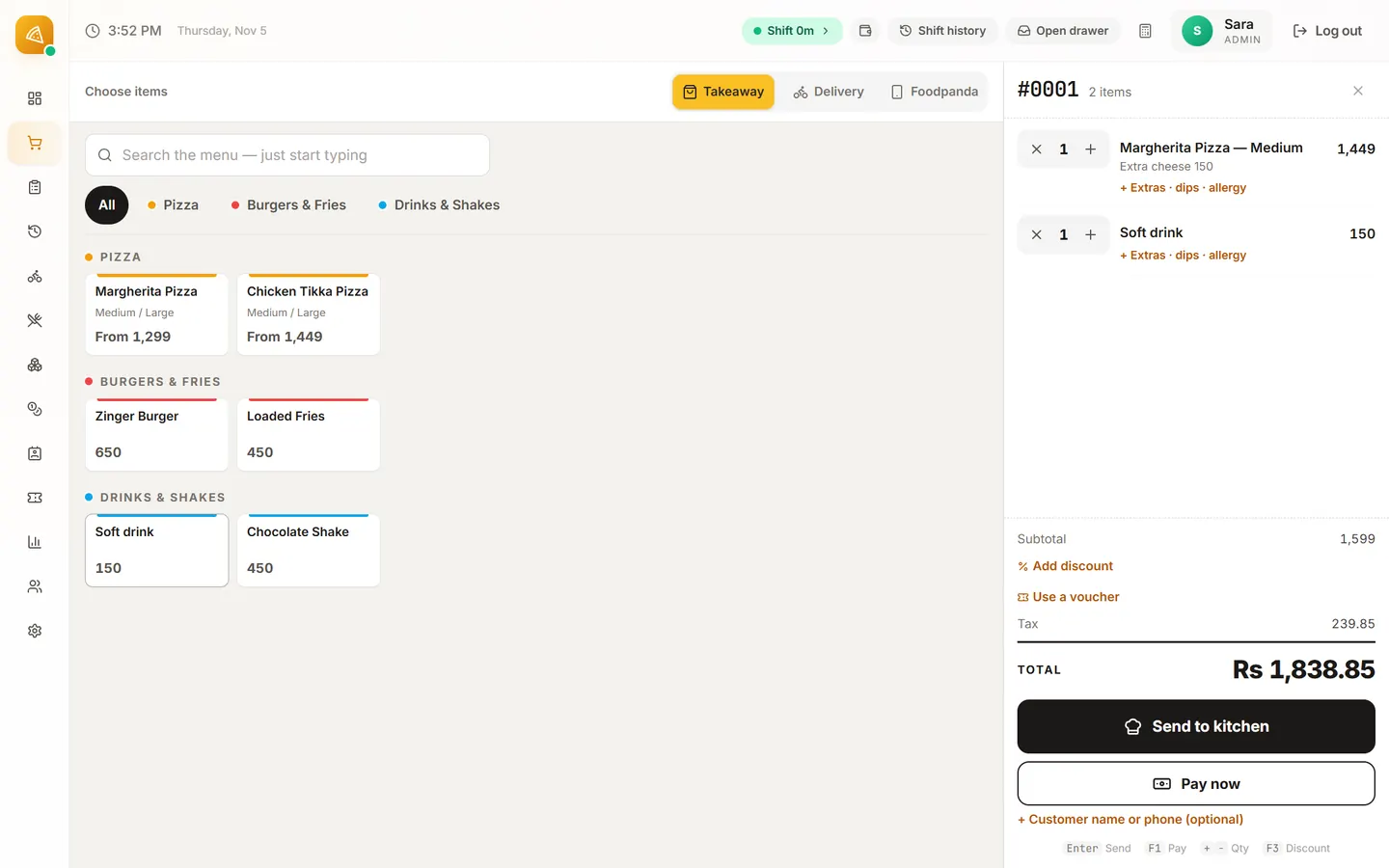
- 0:48A takeaway order: opening the shift, a Margherita with extra cheese and a drink, cash paid with the change shown, and the printed receipt.
- 1:07A phone delivery order: the caller's number, a new customer's address, and the kitchen ticket.
- 1:22The Live Orders board: Start preparing, Mark ready, Assign rider with the delivery bill, then Delivered + Pay.
- 1:37Closing the shift: the drawer counted note by note, expected cash against counted, and the shift report.
- 1:46Reports: today's sales and the best sellers.
- 1:55Download it for Windows and try it for 30 days, or book a free demo on WhatsApp.
Questions before you download
Is the download free?
Yes. Download it, install it and use every feature for 30 days. After that it is Rs 2,499, Rs 4,999 or Rs 9,999 a month, plus a one-time Rs 14,999 setup in Pakistan, or $25, $45 or $199 a month, plus a one-time setup of $49, $99 or $199 (waived on yearly plans) elsewhere. The setup is paid after the 30-day trial, only if you keep the POS. Stop during the trial and you pay nothing; once paid, the setup is not refundable. See the plans.
Why does Windows say "Windows protected your PC"?
Windows shows that box for programs from publishers it does not know yet: our installer is not code-signed yet, so Windows cannot show our name. Click More info, then Run anyway. Only download the till from this page.
Which countries does it work in?
Pakistan (rupees, separate cash and card tax rates, EasyPaisa, JazzCash, Foodpanda) and the United States (dollars, sales tax, US phone numbers and time zones). You choose the country on the first setup screen, and it cannot be changed after the first order. The ordering website is Pakistan-only for now. Somewhere else? Message us for early access.
Do I need the internet?
No, not to sell. Billing, printing, the cash drawer, the shift close, reports and the daily backup all work offline. The internet is needed for website orders, online backups and updates.
Does it work on a Mac, an iPad or Android?
Not today: Pixel & Oak POS runs on Windows 10 and 11.
Can someone help me set it up?
Yes. Book a free 15-minute demo on WhatsApp and we can install it with you on a video call and load your menu.
Next steps
Want us to set it up with you?
A free 15-minute demo on a WhatsApp video call. We can install it together and load your menu.