Pixel & Oak POS docs
Live Orders and riders
Every order lands on Live Orders, in four columns: New, Preparing, Ready and Out for delivery. One button on each card moves it to the next step.
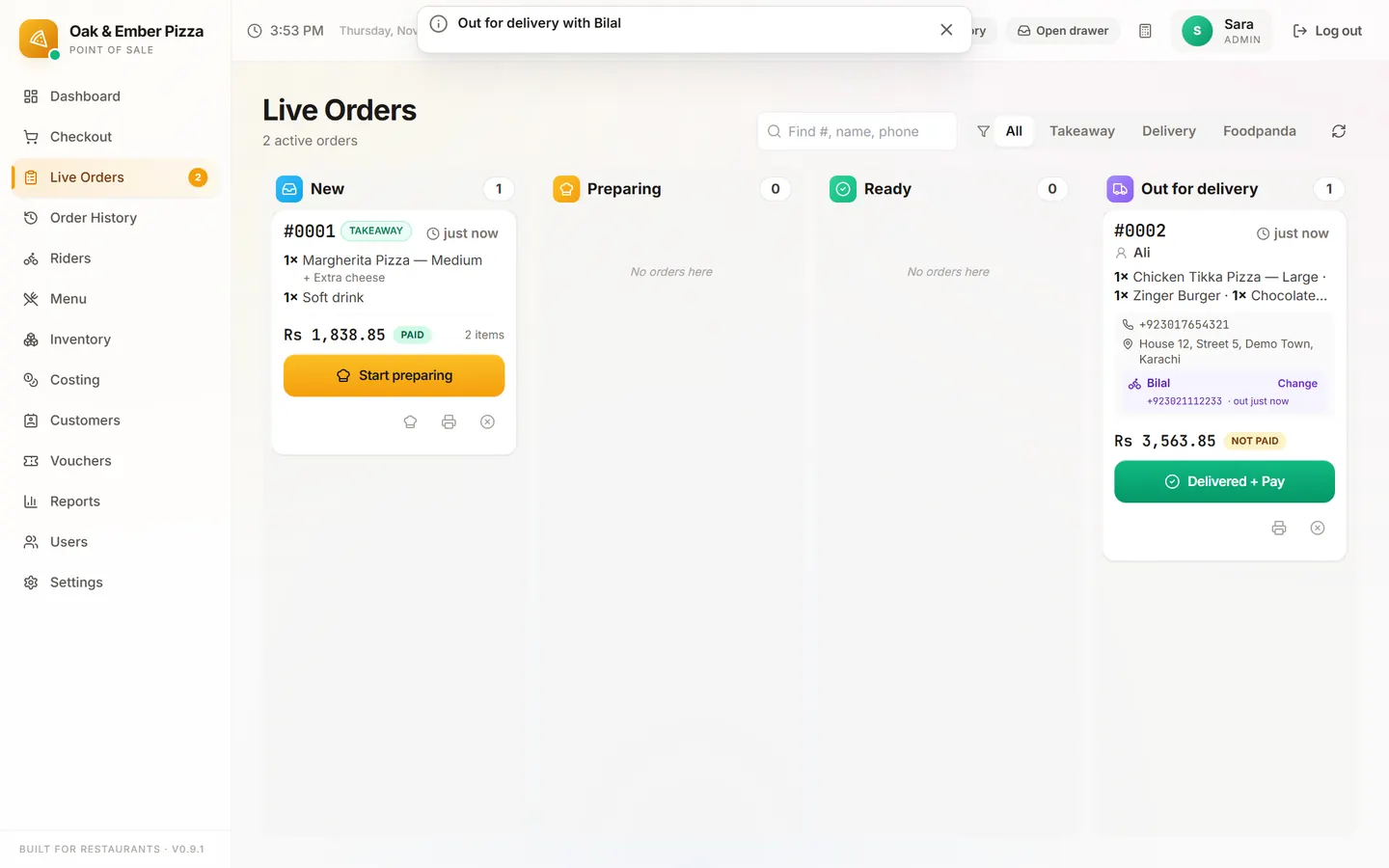
Moving an order along
| Order | Steps |
|---|---|
| Takeaway | Start preparing → Mark ready → Picked up + Pay (or Picked up if it is already paid). |
| Delivery, your rider | Start preparing → Mark ready → Assign rider → Delivered + Pay (or Delivered). |
| Delivery, outside rider | Start preparing → Mark ready → Send out → Delivered, then Rider paid when the rider settles up. |
The filter buttons at the top show All, Takeaway or Delivery orders. Website orders come in as Delivery orders.
Your riders
Add them once on the Riders page: Add rider, with a name, phone and notes. Switch off a rider who leaves.
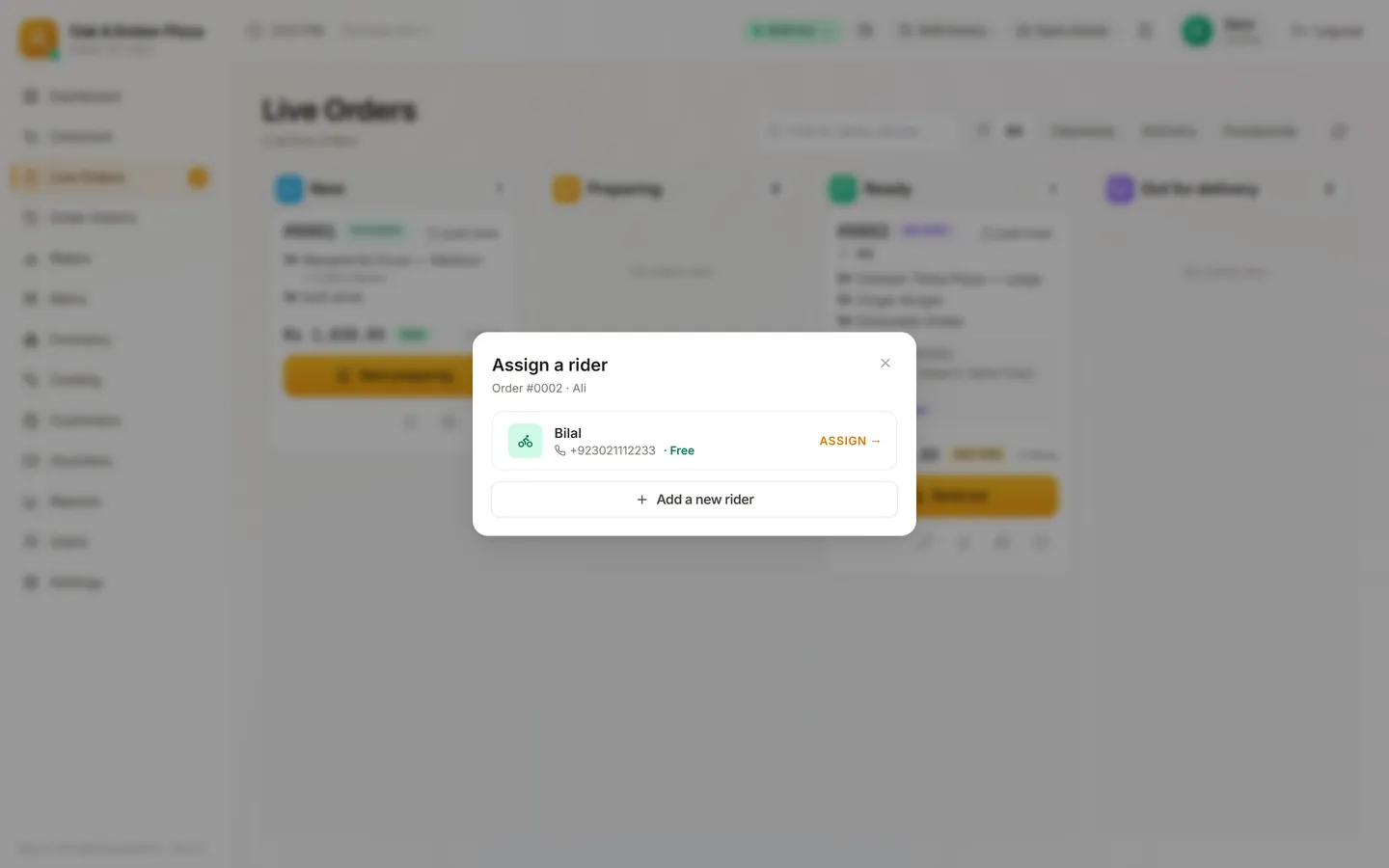
When a delivery is ready, press Assign rider on its card and pick the rider. The delivery bill prints for the rider to take.
Stuck on a step?
Message us on WhatsApp with a photo of the screen. We can also join a video call and fix it with you.